
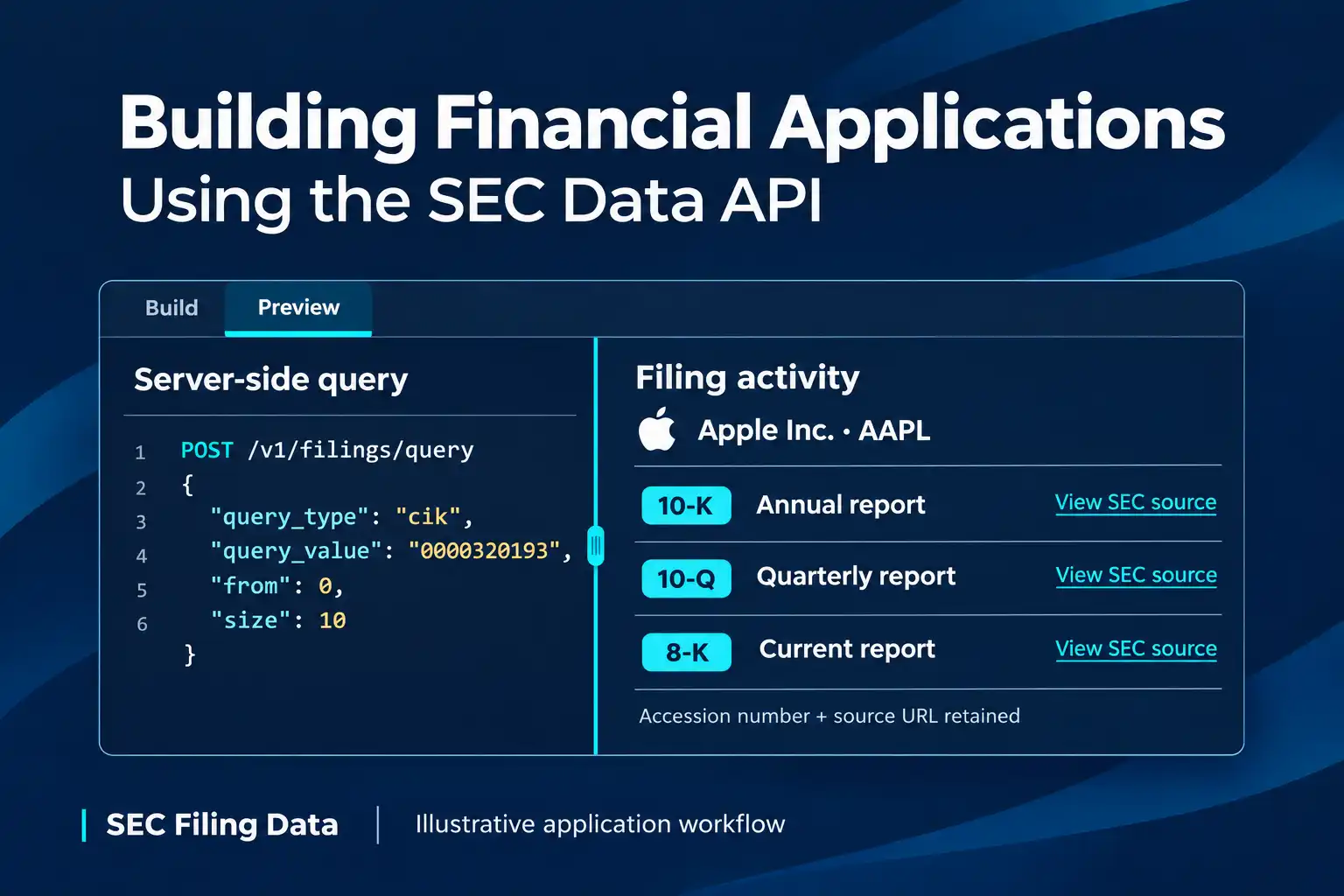
Financial applications become more useful when users can move from a company or ticker to the filing behind a reported event or number. An API SEC data feed can support that path: search for the filing, keep its metadata and source reference, and connect the application’s display to the underlying SEC record.
The U.S. Securities and Exchange Commission (SEC) is the source of EDGAR filings. SEC Filing Data is a third-party provider with product capabilities for searching SEC filing metadata, working with structured XBRL data, and accessing original filing documents or generated PDFs. Its sec api can serve as a data layer in an app, while your application remains responsible for its user experience, storage, permissions, and interpretation.
The provider’s SEC Filing API overview presents a broader product catalog. This guide explains the data distinctions and gives implementation steps for the Query API, whose current request method and requirements are consistent across its documentation.
Plan the application around the data it needs
Start with the screen or task the user needs. A watchlist alert, a financial dashboard, and a document archive use different parts of the filing record. Decide whether the feature needs only filing metadata, values tagged in XBRL, or the complete filing document. Those are related but distinct outputs.
| Application need | Data to use | What the user sees |
|---|---|---|
| Find recent filings | Query API metadata, such as form, filing date, filer identity, attachments, and available SEC source URLs | A sortable filing list with a link to the source |
| Show reported financial statements | Structured XBRL-derived data for a supported filing | Statement rows and values tied to the filing selected |
| Read or archive a report | Original filing or attachment, or a generated PDF | A document viewer, download, or archive entry |
The Query API is a metadata search endpoint. Its documented response includes filing metadata, filer information, attachments, and original SEC source URLs. A search response should not be treated as the filing’s full text or standardized financial statements. The product overview lists structured XBRL-derived data and original documents/PDFs as distinct data capabilities; keep each output type separate in the application.
Architecture at a glance
- User: Enters a ticker, company, or CIK.
- App server: Queries the Query API.
- App: Stores filing metadata, accession number, and SEC source URL.
- User: Opens the selected filing at its SEC source.
Build the data flow step by step
1. Accept a company identifier
Let users enter a ticker, company name, or CIK, then validate and normalize the value on your server. A ticker is convenient in a search box, but it can change; retain the CIK and the filing’s accession number as stable identifiers in your own records. SEC Filing Data’s Query API supports searches by ticker, company name, CIK, form type, accession number, and other documented fields.
2. Search for matching filings
The Query API uses POST https://api.secfilingdata.com/v1/filings/query, JSON request data, and an API token in the Authorization header. Its documented inputs include required query_type and query_value, plus optional from, size (maximum 100), and sort_order. For example, a backend can request recent Apple filings by CIK:
import os
import requests

url = "https://api.secfilingdata.com/v1/filings/query"
headers = {
    "Authorization": os.environ["SEC_FILING_DATA_TOKEN"],
    "Content-Type": "application/json",
}
payload = {
    "query_type": "cik",
    "query_value": "0000320193",
    "from": 0,
    "size": 10,
    "sort_order": "DESC",
}

response = requests.post(url, headers=headers, json=payload, timeout=30)
if response.status_code == 204:
    filings = []
else:
    response.raise_for_status()
    filings = response.json()
print(filings)
This example prints the JSON response rather than assuming a response field name. Inspect the current schema and select the returned metadata and source URL fields your application needs. The documented success and no-results statuses are 200 and 204; invalid parameters, an invalid token, and server errors are documented as 400, 401, and 500. Handle those separately so an empty search is not shown as a system failure.
For larger result sets, advance the from offset and request another page. Keep the page size at or below 100, and stop when the response indicates there are no more results. If users can submit broad searches, narrow by company, form, or date where supported so you do not retrieve pages the interface will never display. Confirm the current request and response details in the SEC Query API documentation before production integration.
The Query API sandbox provides example searches and lets developers explore query criteria in a browser. Use it to understand search inputs and matching filings; your application still needs its own server-side credential handling, response validation, and pagination.
3. Normalize, store, and display the record
Convert provider-specific responses into an application model such as FilingRecord: company identifier, form type, filing date, accession number, available source links, and any attachment metadata needed by the UI. Store those source references with the data so a user can return to the filing that supports an entry. Deduplicate by accession number where available, and preserve the provider response or a versioned normalized record if audit history matters.
The API call belongs on a trusted server, not in browser code where an API token could be exposed. Add timeouts, bounded retries for transient failures, caching for repeat searches, and logs that record request status without storing credentials. Treat a delayed response, a no-results response, and an API error as different states in the interface.
4. Keep structured data and documents distinct
When a financial application displays statement values, keep structured XBRL-derived data separate from filing metadata. XBRL facts carry reporting context such as concept, unit, and period, and filers can use custom taxonomy items. Your application needs to define how it labels, selects, and compares reported values. The product overview lists structured financial data as a platform capability; this guide does not prescribe a request workflow for that service.
When users review documents, distinguish an original filing or exhibit from a generated PDF. A PDF is a rendered document copy, not structured XBRL data. Keep the source URL, form, and filing date visible, and identify which attachment is being shown because one filing can contain several. The product overview describes original-file access and PDF generation as platform capabilities; this guide does not prescribe a request workflow for document retrieval.
Examples of SEC data in an application
End-to-end example: Apple filing activity panel
Search Apple by ticker (AAPL) or CIK (0000320193). The app lists matching filings by form and date, and stores each accession number and SEC source URL. Show the company name on each row so users can confirm the filing belongs to Apple. Users can distinguish annual, quarterly, and event reports, then open a selected 10-K at its SEC source.
Example 2: A financial statement comparison view
A financial dashboard can show structured XBRL-derived data for a selected supported 10-K or 10-Q and let users compare reported periods. Preserve the filing date and source reference beside the figures, and account for company-specific extensions or differences in reporting context before treating values as directly comparable. The data source supplies reported facts; your application still defines units, period selection, labels, and comparison rules.
Example 3: A filing review and archive workflow
A compliance or research tool can save each selected filing’s metadata and source URL, then present an original document or generated PDF for reading and archival workflows. Store which specific document or exhibit is shown, since a filing may have multiple attachments. Display the form and filing date beside it and retain the original source link so readers can check the SEC record. The workflow combines search metadata with document content; neither should be mistaken for the other.
Before production
- Preserve provenance: Store each filing’s accession number and SEC source URL with its form and filing date.
- Handle Query responses: Paginate with
fromandsize; treat204as no results and distinguish it from400,401, and500errors. - Protect and stabilize requests: Keep API tokens server-side; use timeouts, bounded retries, and caching without logging credentials.
- Validate reported facts: Check units, periods, and filing-specific taxonomy items before comparing financial values.
- Show freshness and data type: Display when your app refreshed the data. Keep filing metadata, structured facts, original filings, and generated PDFs clearly labeled as different outputs.
SEC.gov also provides free public APIs for company submissions and extracted XBRL data, plus filing access through EDGAR. Its EDGAR APIs documentation says the public data APIs do not require authentication, and its Accessing EDGAR Data guide currently specifies a maximum of 10 requests per second for automated access. Those are direct-source options; this article focuses on the additional search, conversion, and document workflows documented by SEC Filing Data.
With the workflow separated into search, normalization, interpretation, and document retrieval, developers can build financial applications that make filings easier to find while keeping each displayed datum connected to its source.